FAQ: Add Bernadette to your Monarch Money Household

Step-by-step Instructions (best viewed on Desktop):
Step 1: Register and login to Monarch Money
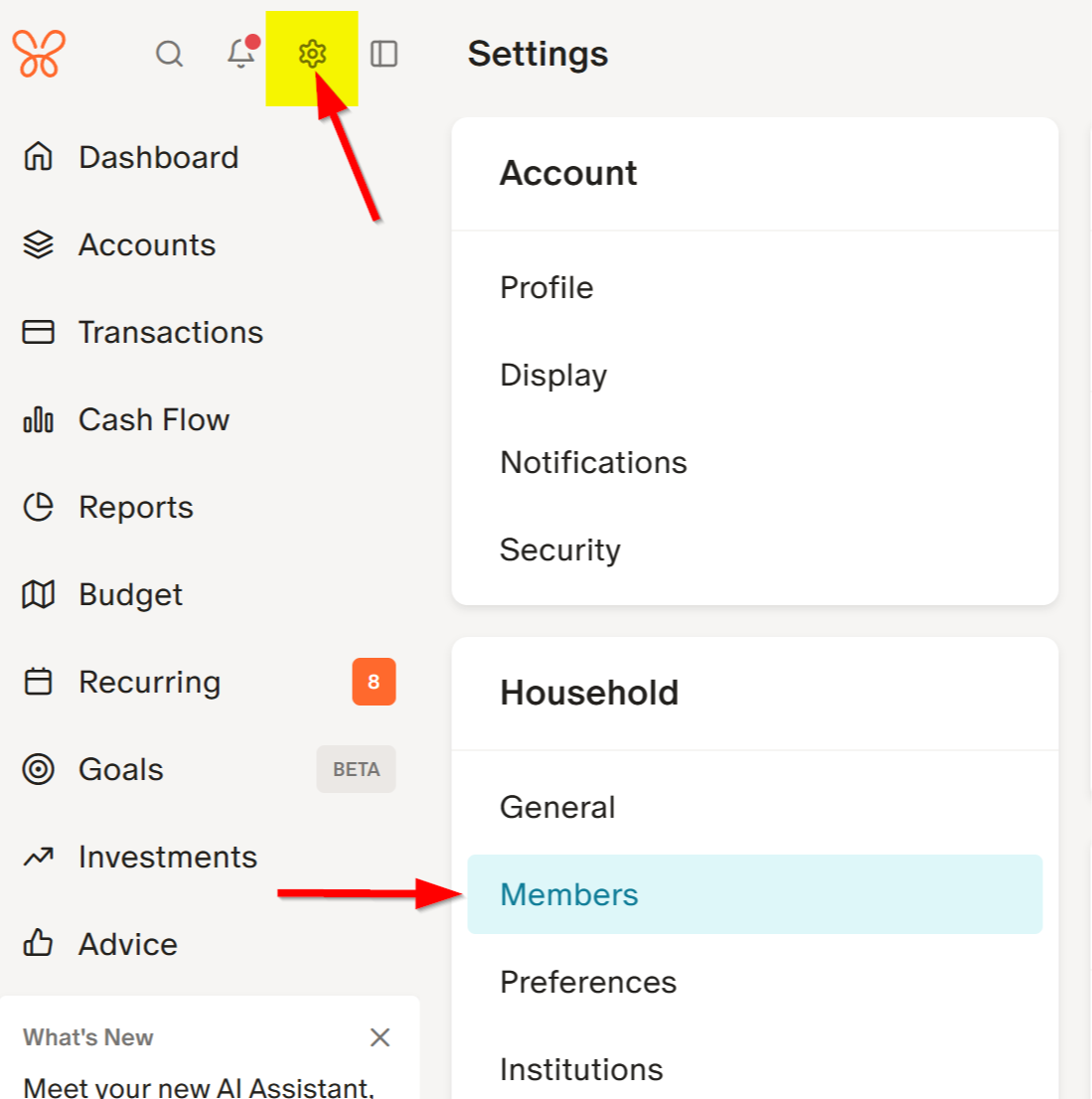
Step 2: Click Settings > then under 'Household', click Members.
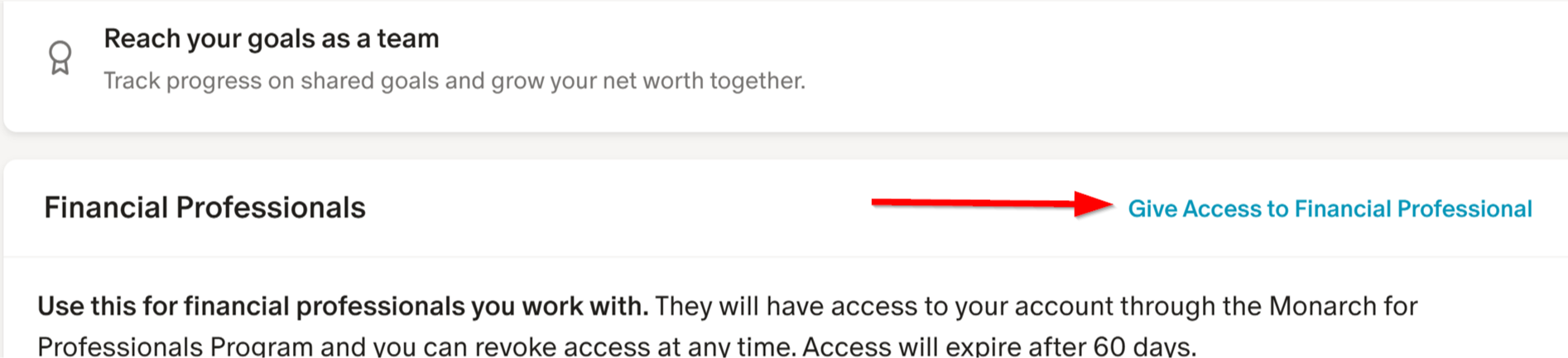
Step 3: Under Financial Professionals > click 'Give Access to Financial Professional'
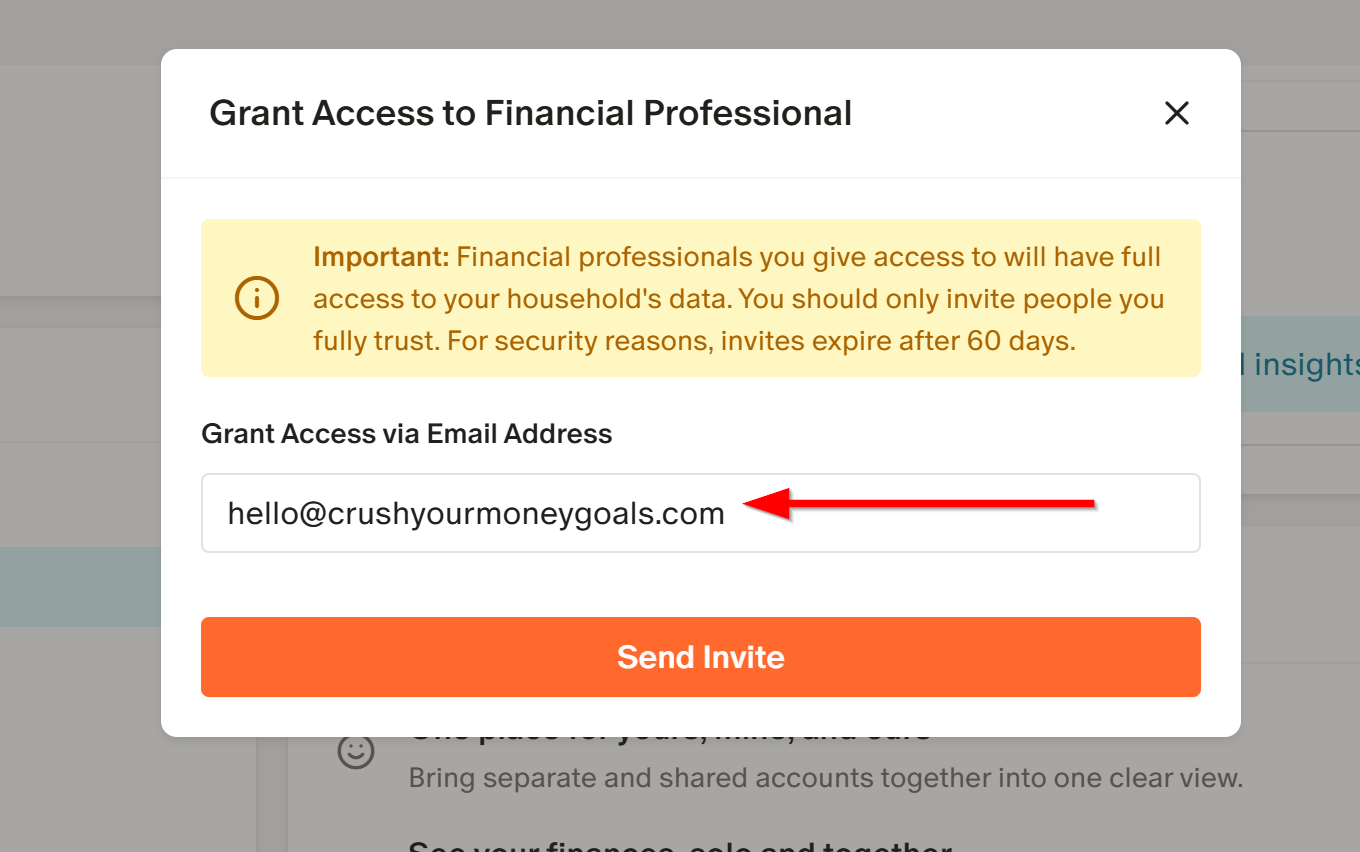
Step 4: In the prompt, enter the email:
hello@crushyourmoneygoals.com > Click Send Invite
That's it! Access is now granted to Bernadette to review your Net Worth alongside you for the next 60 days. You will need to continue to grant access each 60 day increments.